
School Form 2, counted for you
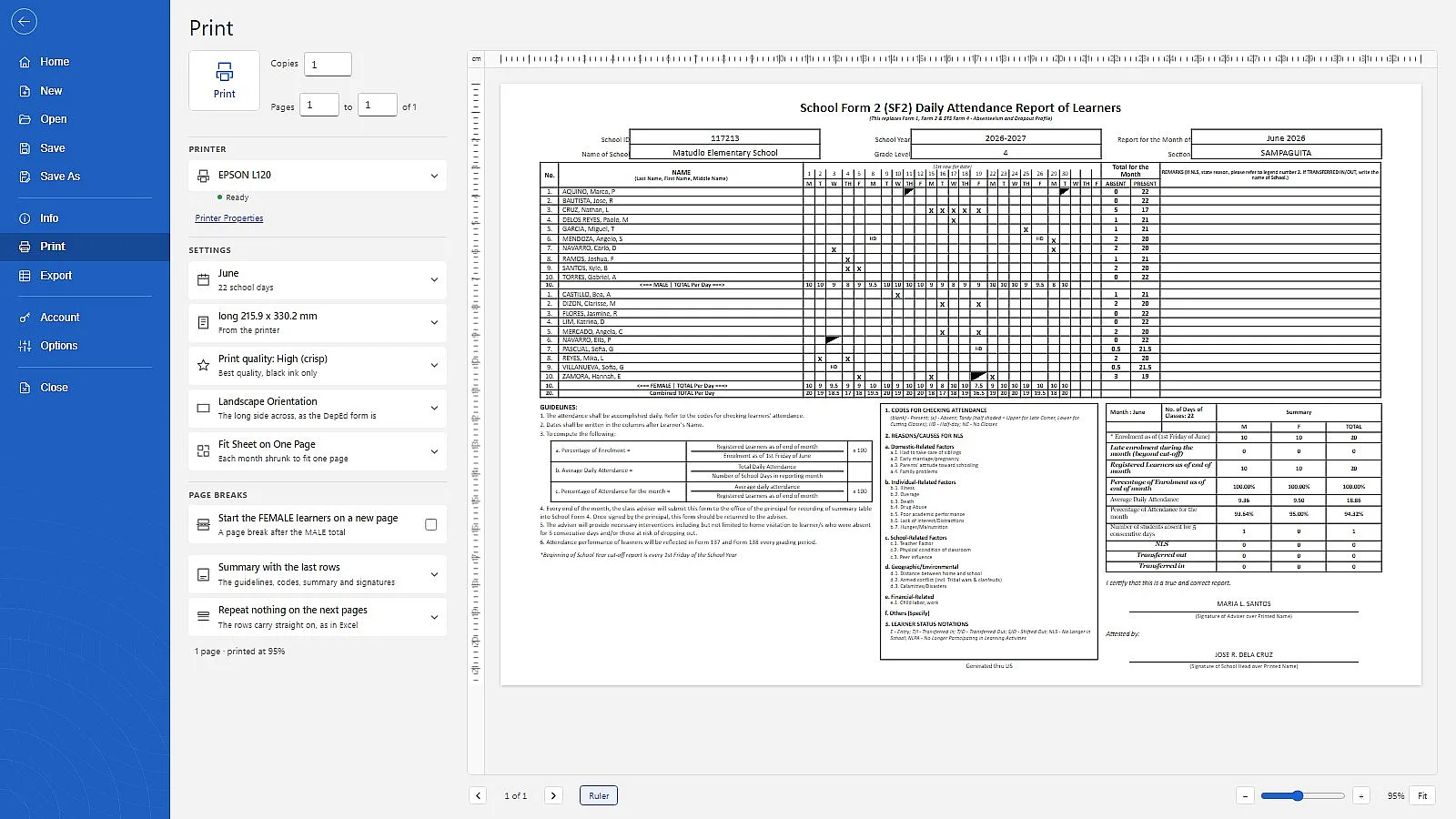
No more adding up every row and column at the end of the month. Tick attendance as you take it. Matudlo counts the per-day totals, the absences and the summary box, flags learners absent five days in a row, and prints the DepEd form ready to hand in.
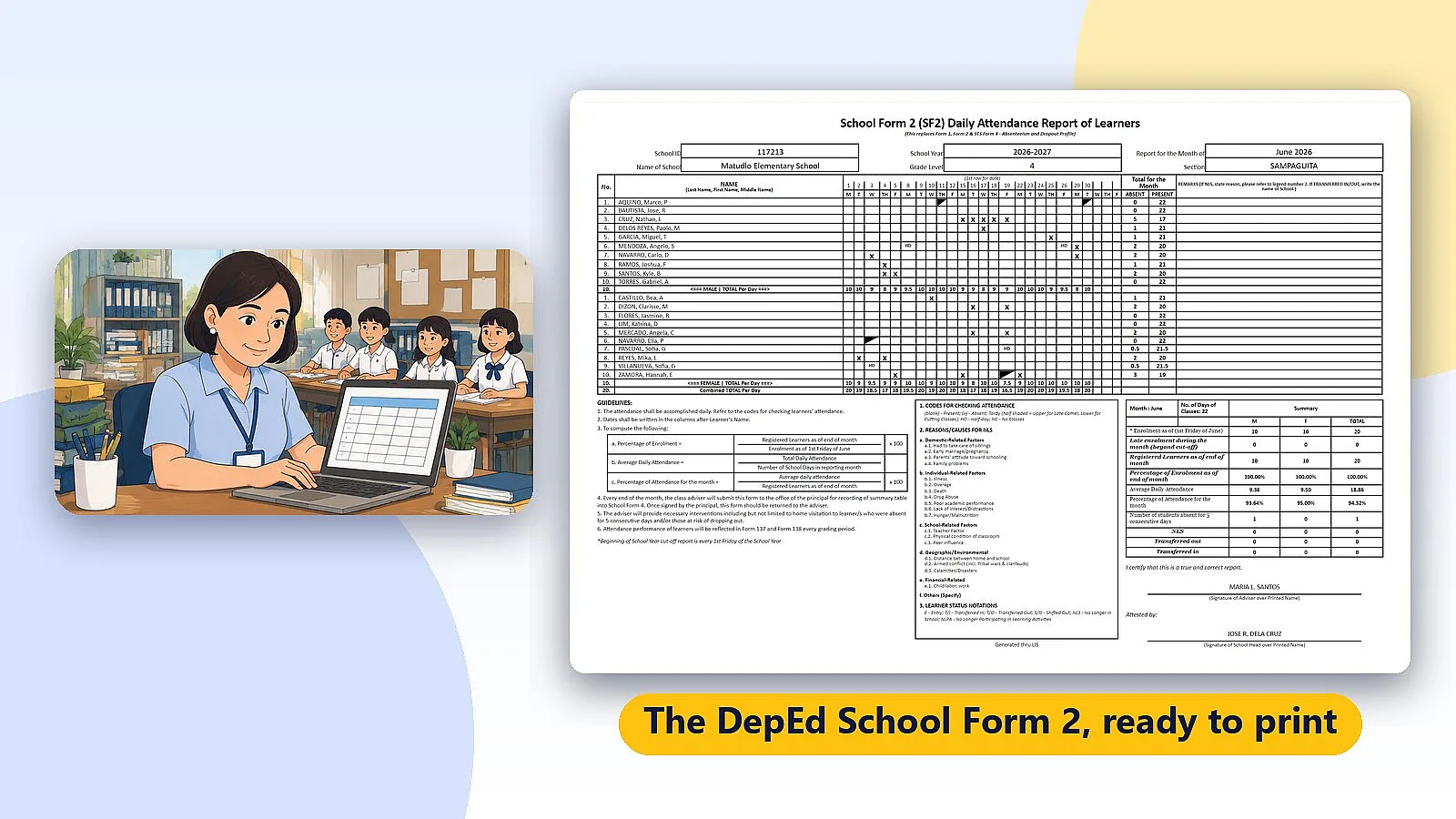
Sound familiar?
A whole class, about twenty school days, every month. This is where the time goes.

Adding up every row and column
Per-day totals for boys, girls and the whole class, by hand, every month.

The summary box at month's end
Average daily attendance and percentage of attendance, worked out with a calculator.

Writing the class list again
A new form every month means copying every name onto it again.
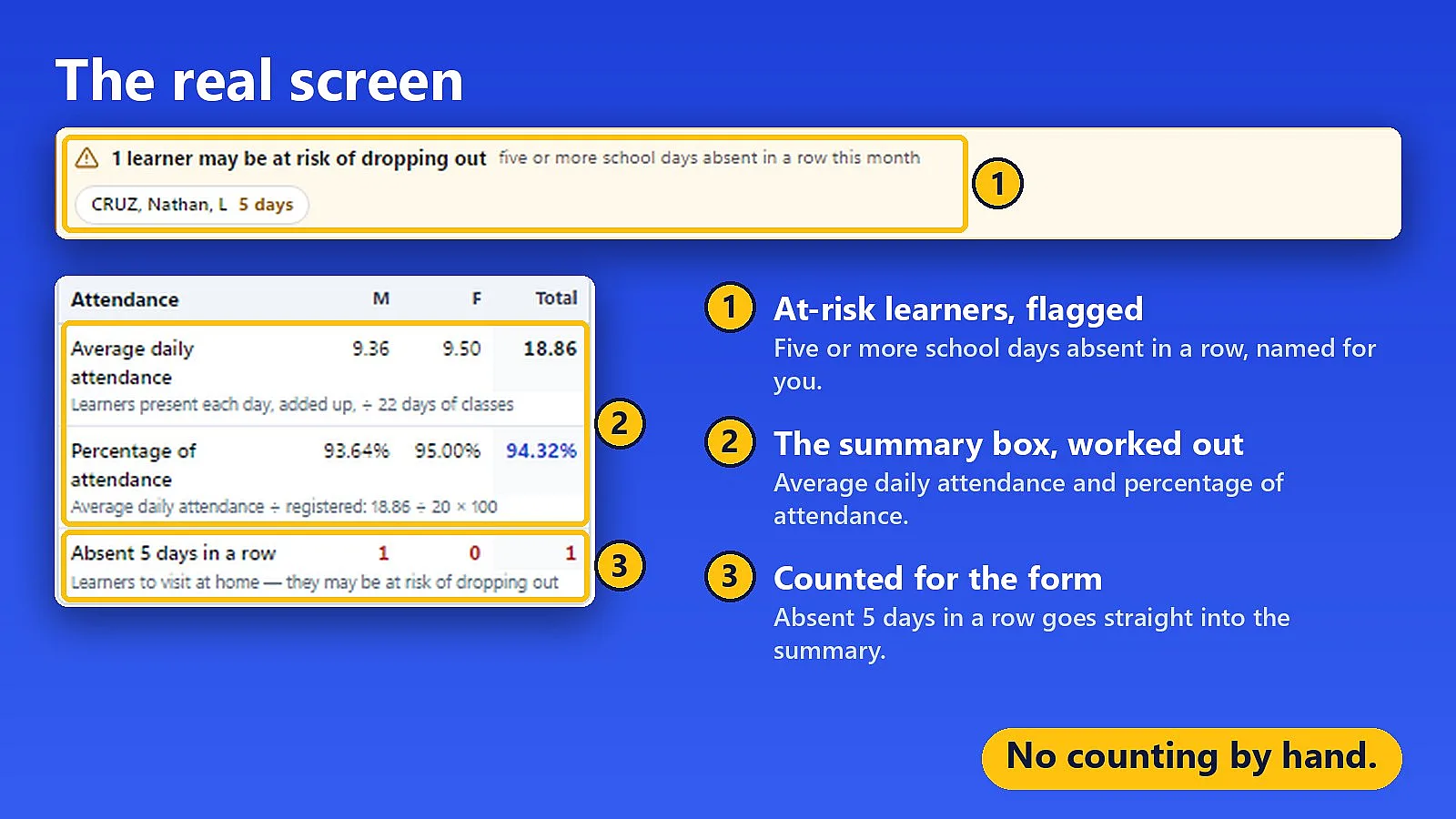
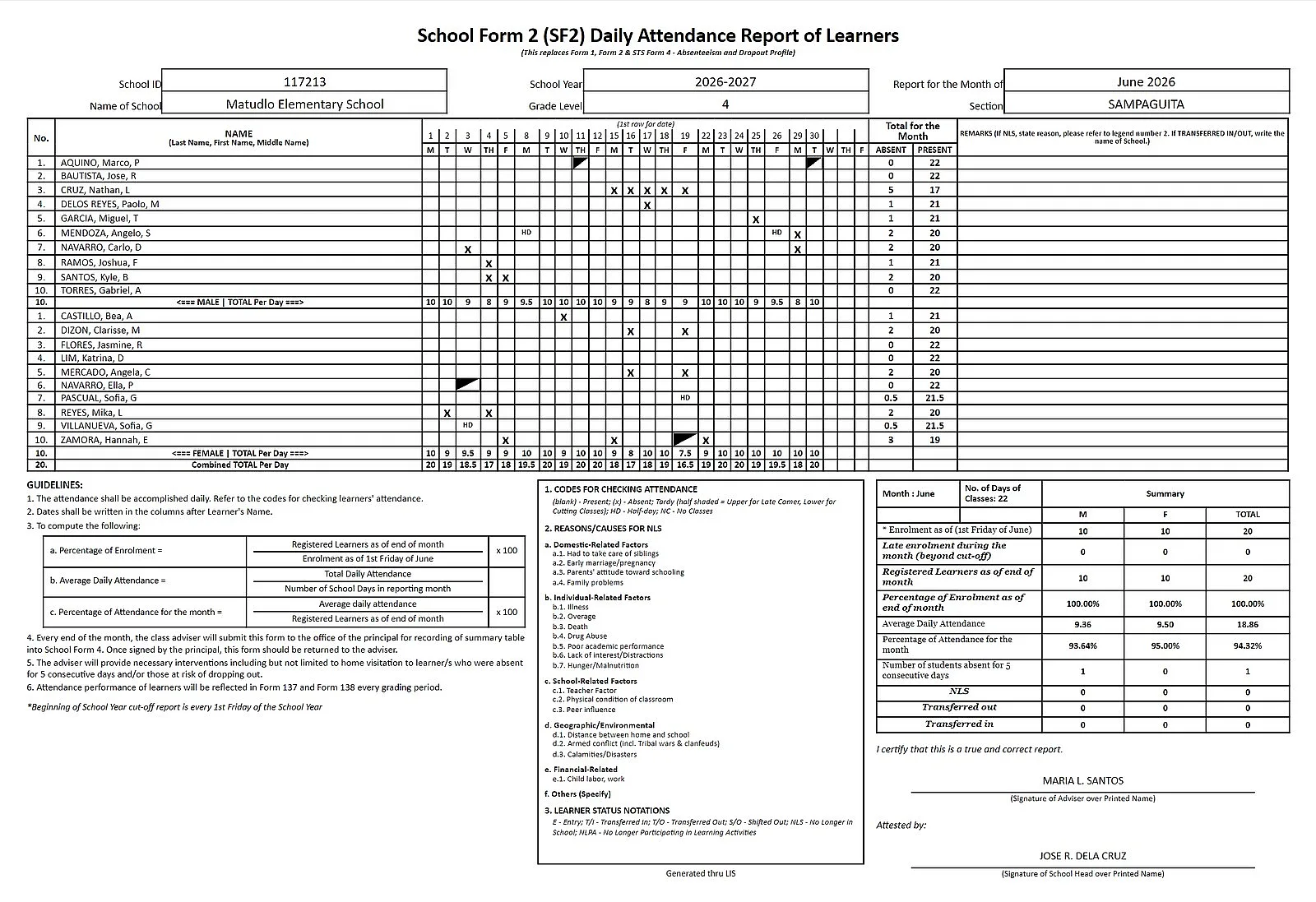
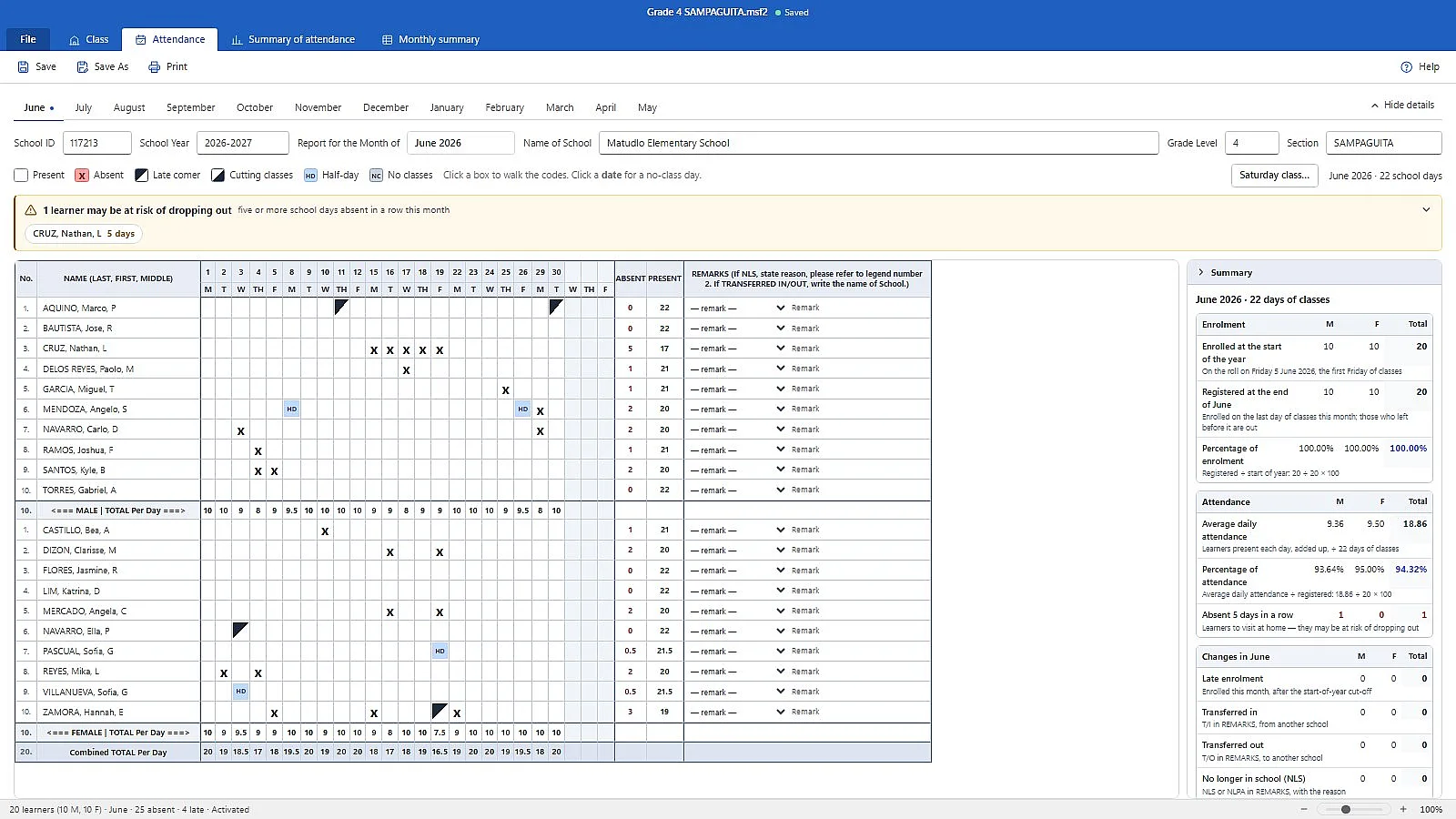
Built around how the form is actually filled in
It does the counting
Per-day totals, absent and tardy counts, five consecutive absences, NLS and transfers in and out, worked out as you mark. A half-day counts as half, everywhere.
Import your class once
Bring the roster in from your School Form 1 register or from last month’s School Form 2. Nothing is created until you have seen the list.
The whole year in one file
All twelve months, one class. Print a month on the paper your school buys, or export the month or the whole year to Excel.
Windows 10 and 11. Your attendance files stay on your own computer, and they are encrypted, because they carry every learner’s name and LRN.
Price: free to try. A product key is ₱150 for one year. It works on up to two computers, for example your school laptop and your home PC, and it removes the watermark and unlocks the Excel export. Buy a key
Try it with your class
Free to download. Encode and print as much as you like; printed sheets carry a small watermark, and the Excel export unlocks, once you enter a product key.
More apps for teachers
Other Matudlo tools for the paperwork that comes with teaching. Each one is free to download — try it with your own class.
Matudlo AI
The Matudlo AI teaching tools in their own window, with every lesson plan, deck, quiz and worksheet saved to your own computer.
Matudlo Automated SF9
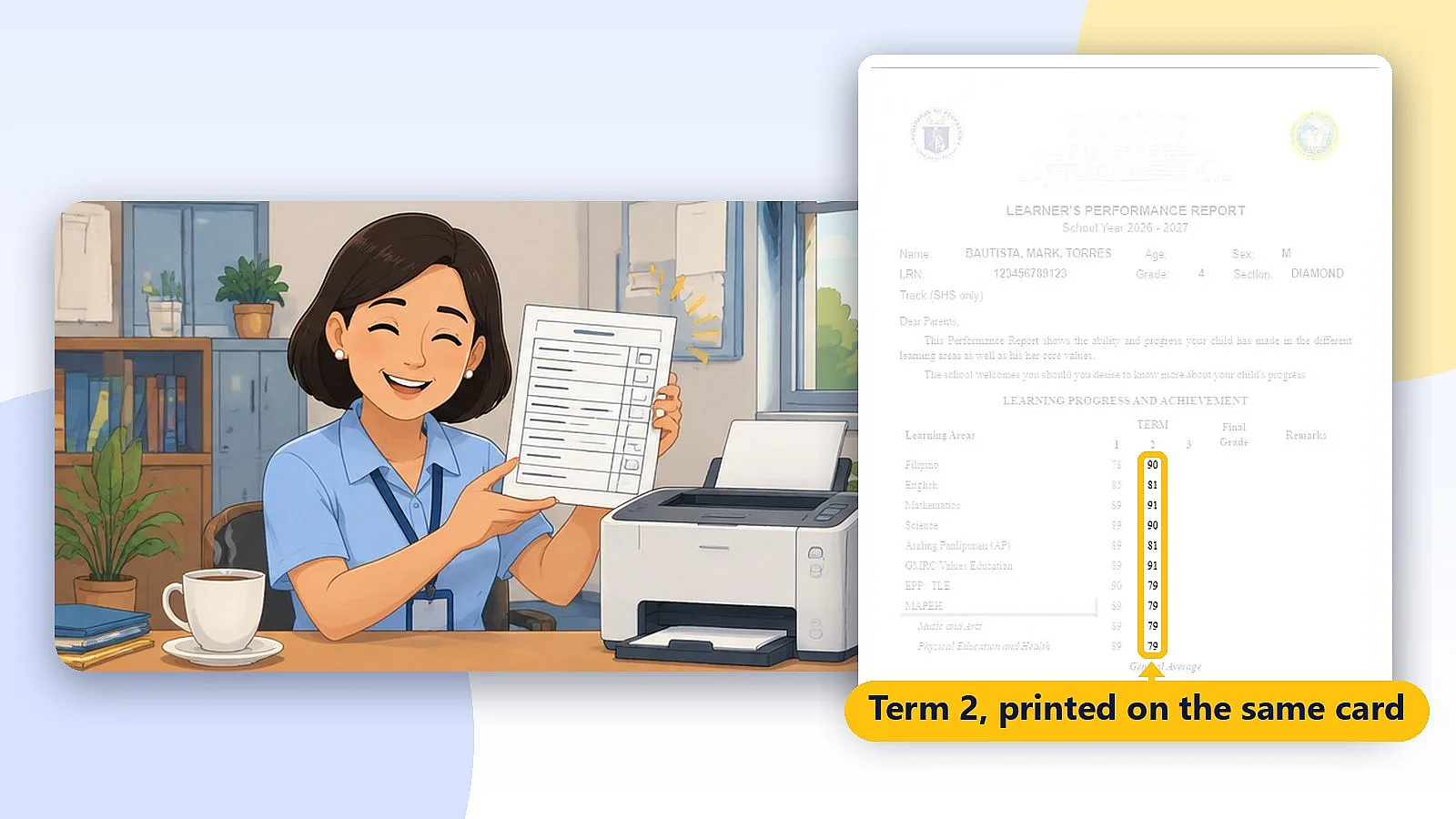
Matudlo Automated SF9 prints DepEd School Form 9 report cards term by term on the same card, with Final Grades and General Average worked out for you. Grades 4 to 12, Senior High included.
Matudlo Automated Checker
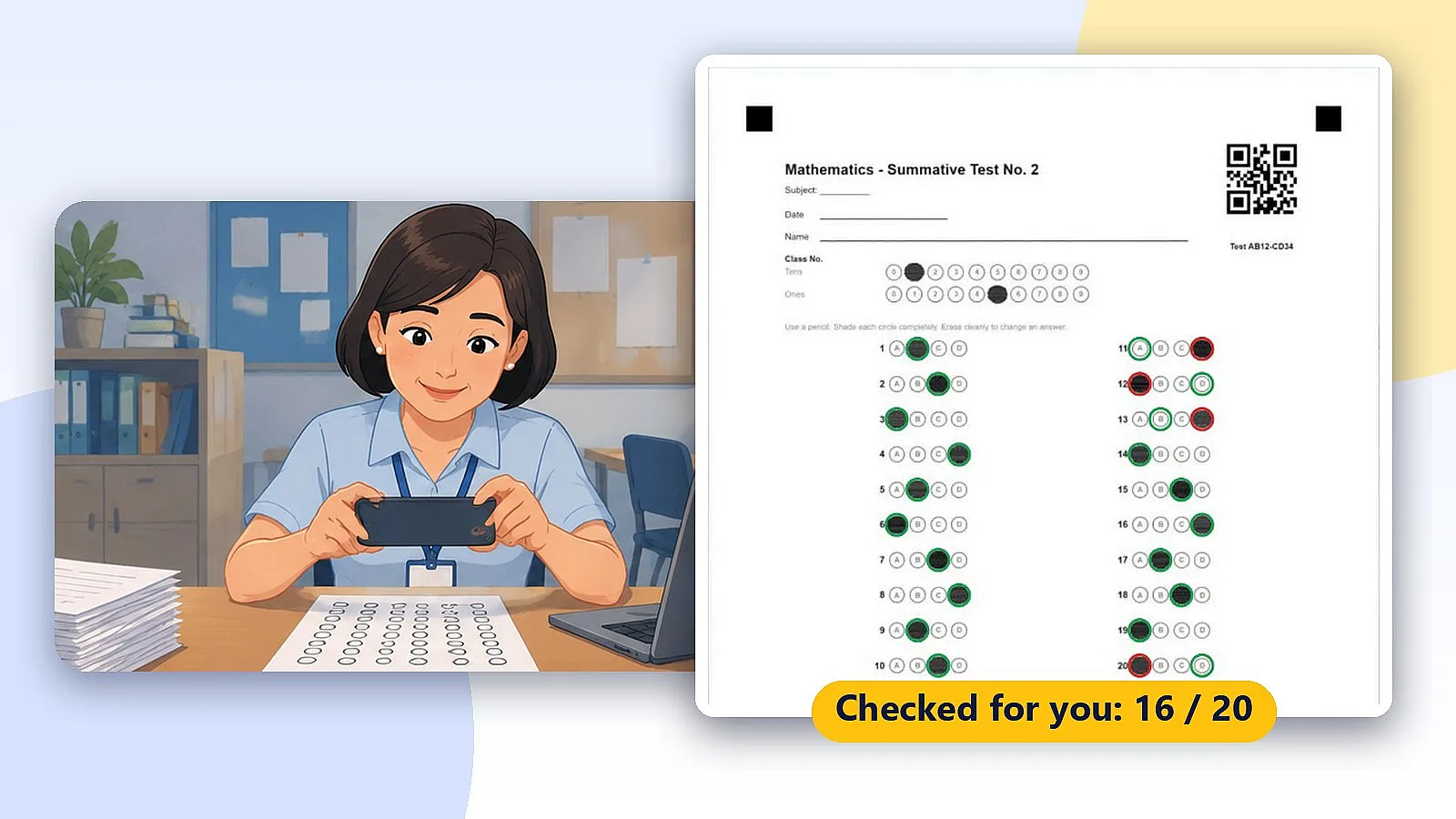
Check bubble answer sheets with your phone and get the item analysis and least learned competencies on your own computer. No sheets are uploaded.