
One SF9 card. Three terms. Every grade in its box.
There are many SF9 templates. The hard part is printing ONE learner's card term by term: Term 1 now, then the same card again for Term 2 and Term 3, with every grade landing in its box. Matudlo Automated SF9 does that for you, and it does the math too. For Grades 4 to 6, Grades 7 and 8, and Grades 11 and 12 (Senior High). Imports learners from your SF1. Updates itself.
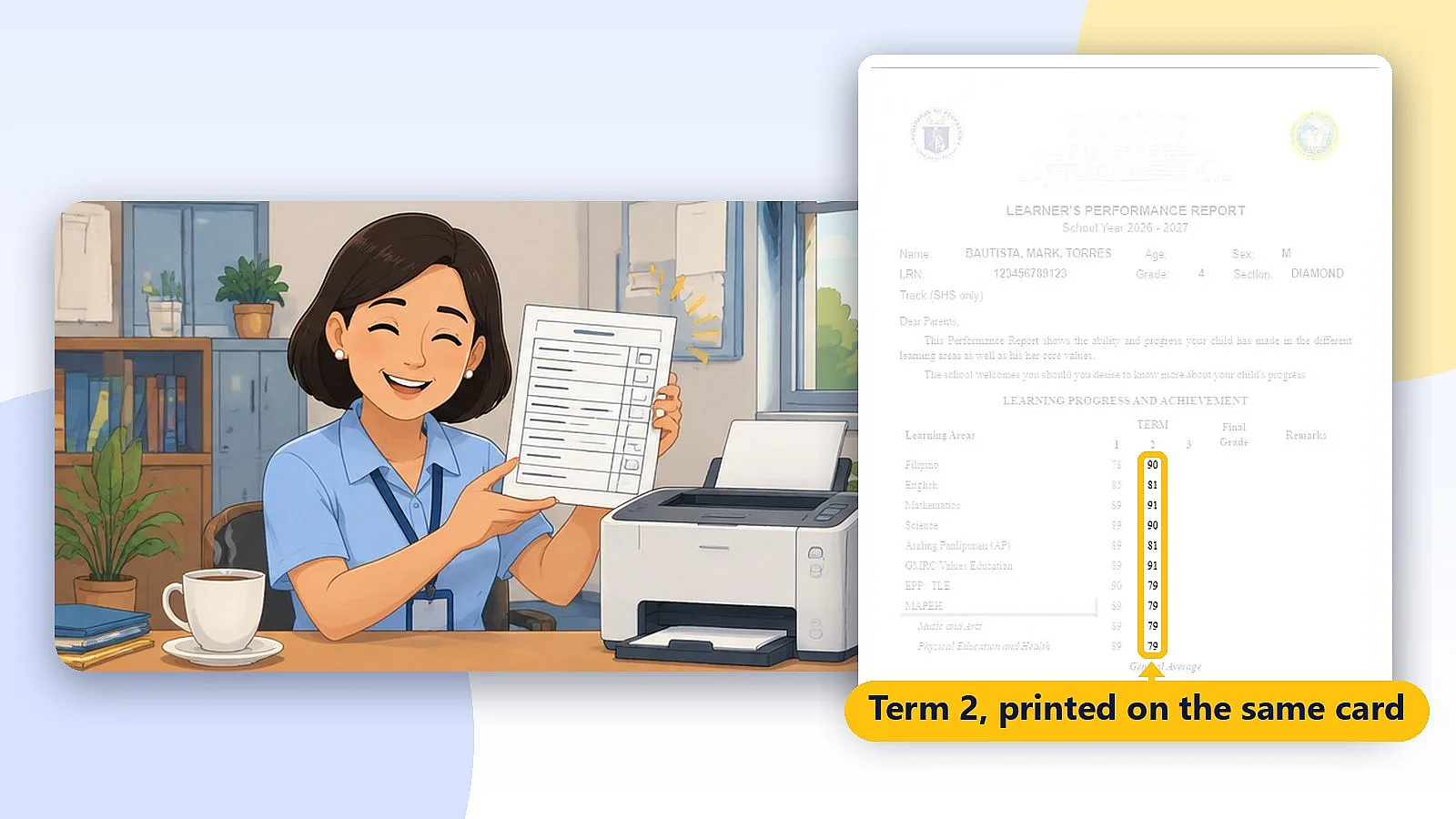
How to use the Matudlo Automated SF9 (8-minute tutorial)
Sound familiar?
Many SF9 templates. One card. Three terms. This is where it goes wrong.

The template doesn't line up
Grades land on the lines, not in the boxes, and every printer is different.
Term 2 on a card that already has Term 1
Print the whole card again and Term 1 prints twice. Use a fresh card and you waste it.

One late grade, the whole card again
A missing score means re-printing and re-checking a card that was already done.
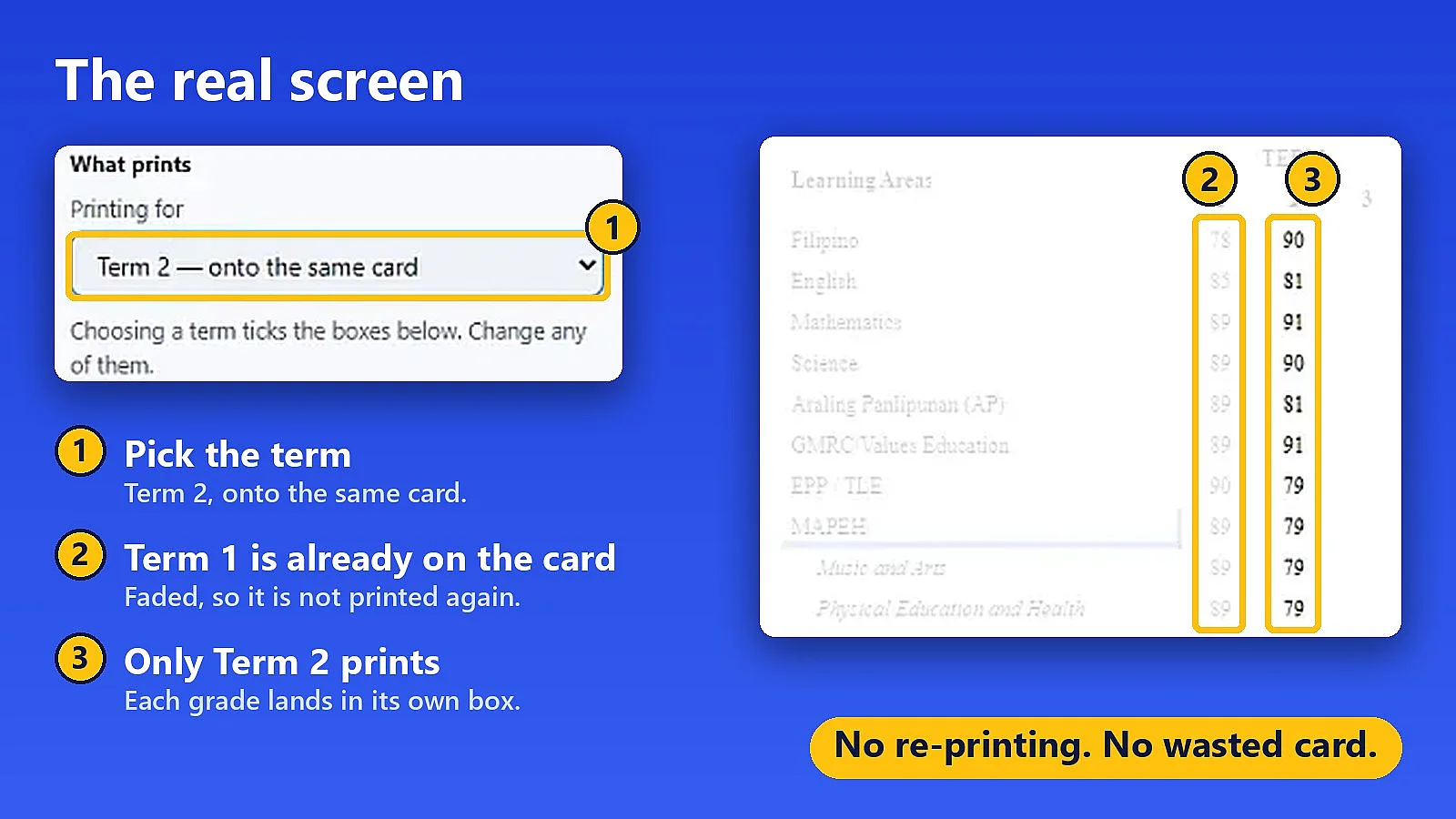
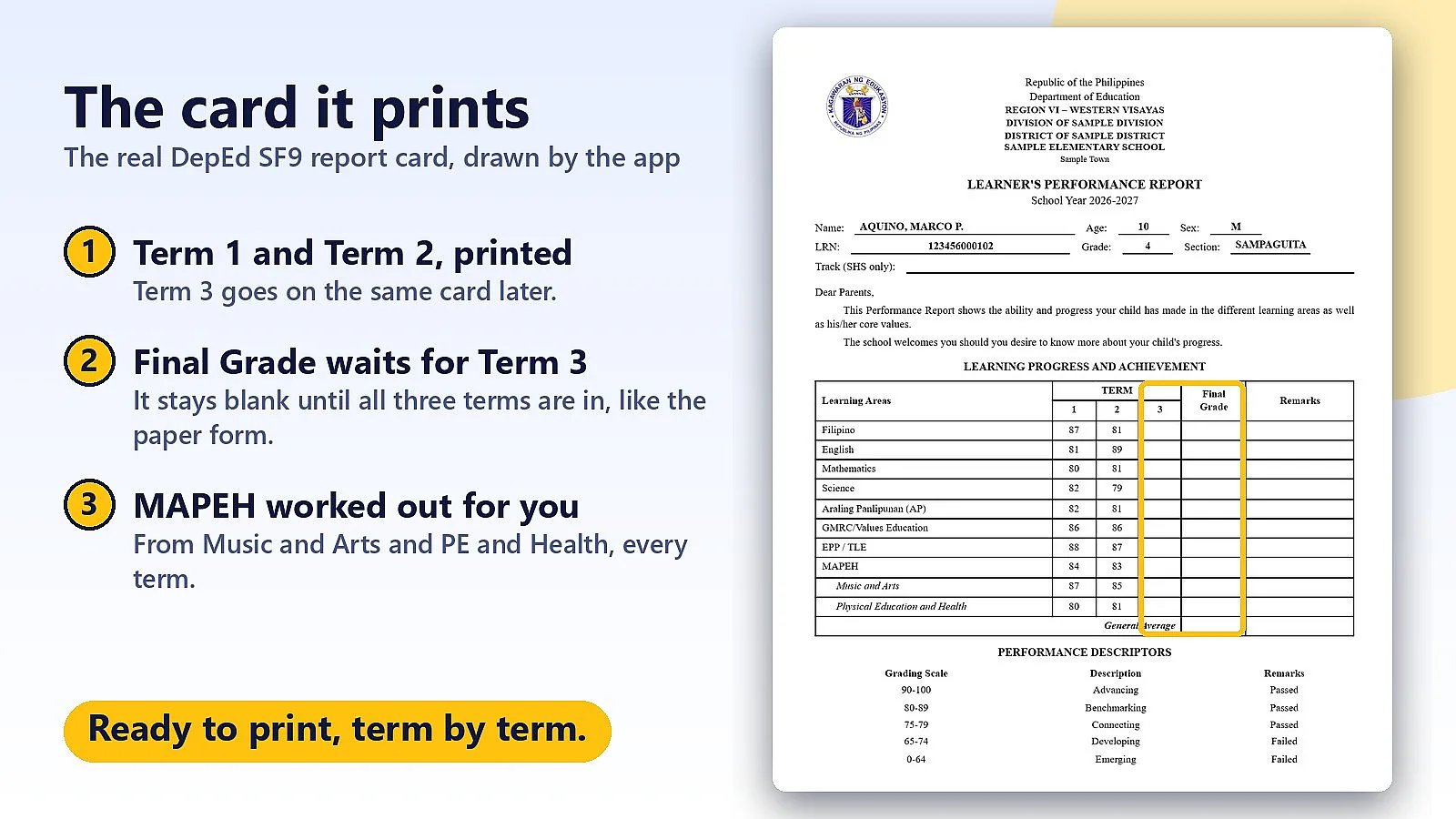
What “Automated” means
- Prints only the term you choose on the card you already printed. No re-printing, and the earlier grades don't shift.
- Missed a grade? Print just that cell onto the existing card.
- Does the math: Final Grade, General Average, MAPEH from its parts, and Remarks from the DepEd descriptors. The Final Grade stays blank until all three terms are in, just like the paper form.
- Matches the card's paper size by itself (Half Letter, Half A4, Half Long). There's no printer driver setup.
- Prints a whole section at once (Page 1 for every learner).
A template gives you a form. Matudlo gives you the card, printed right, term after term.
Keep your report cards looking crisp, clean, and completely professional! 🖨️✨
Print grades term by term on the same card as the school year goes on. Every entry stays lined up.
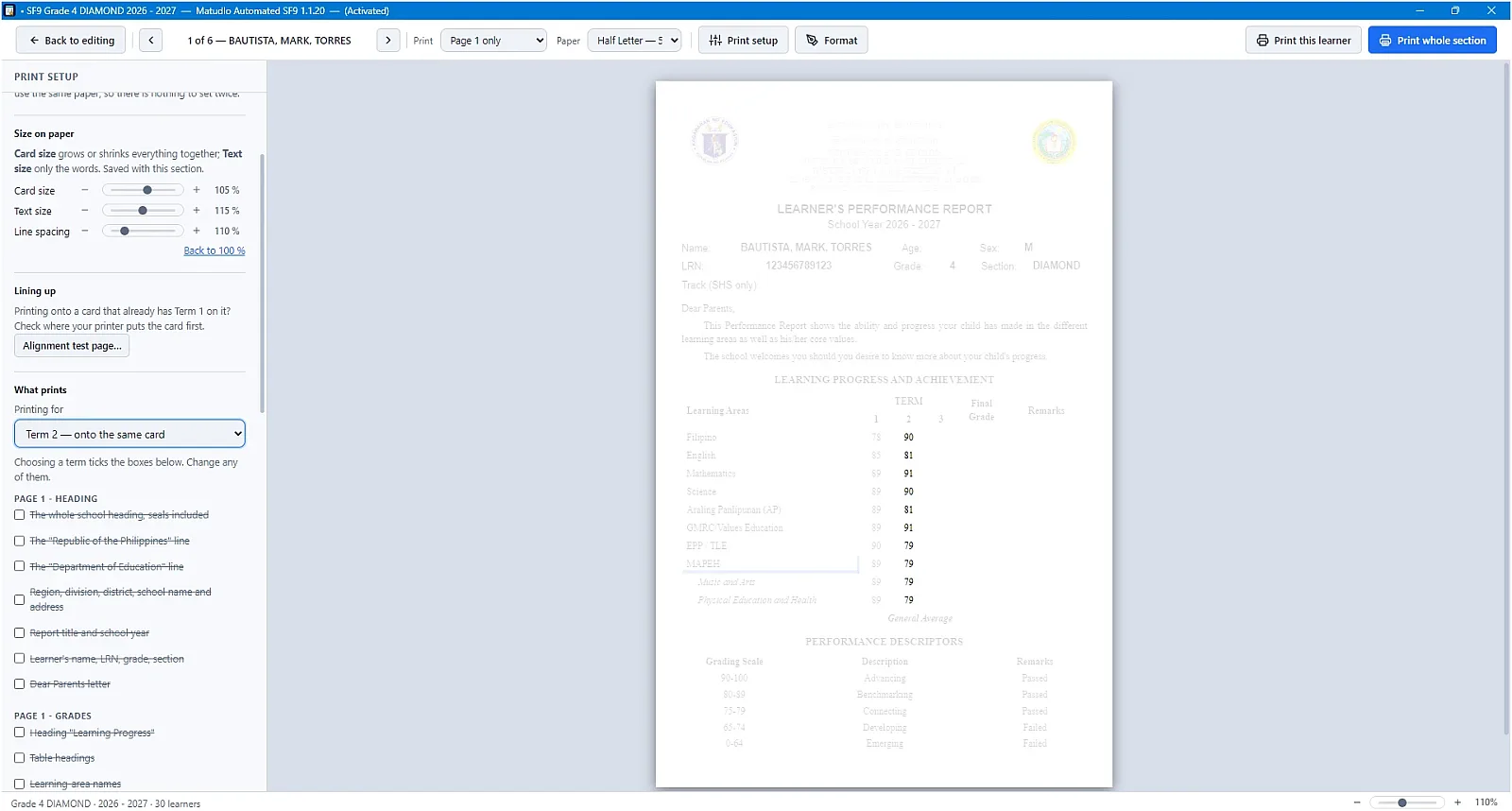
Say goodbye to messy handwriting and alignment headaches on learner report cards! 📄👌
Print Term 1, then insert the same card later to print Term 2 or Term 3— clean, computer-printed grades that look sharp and professional every single quarter.
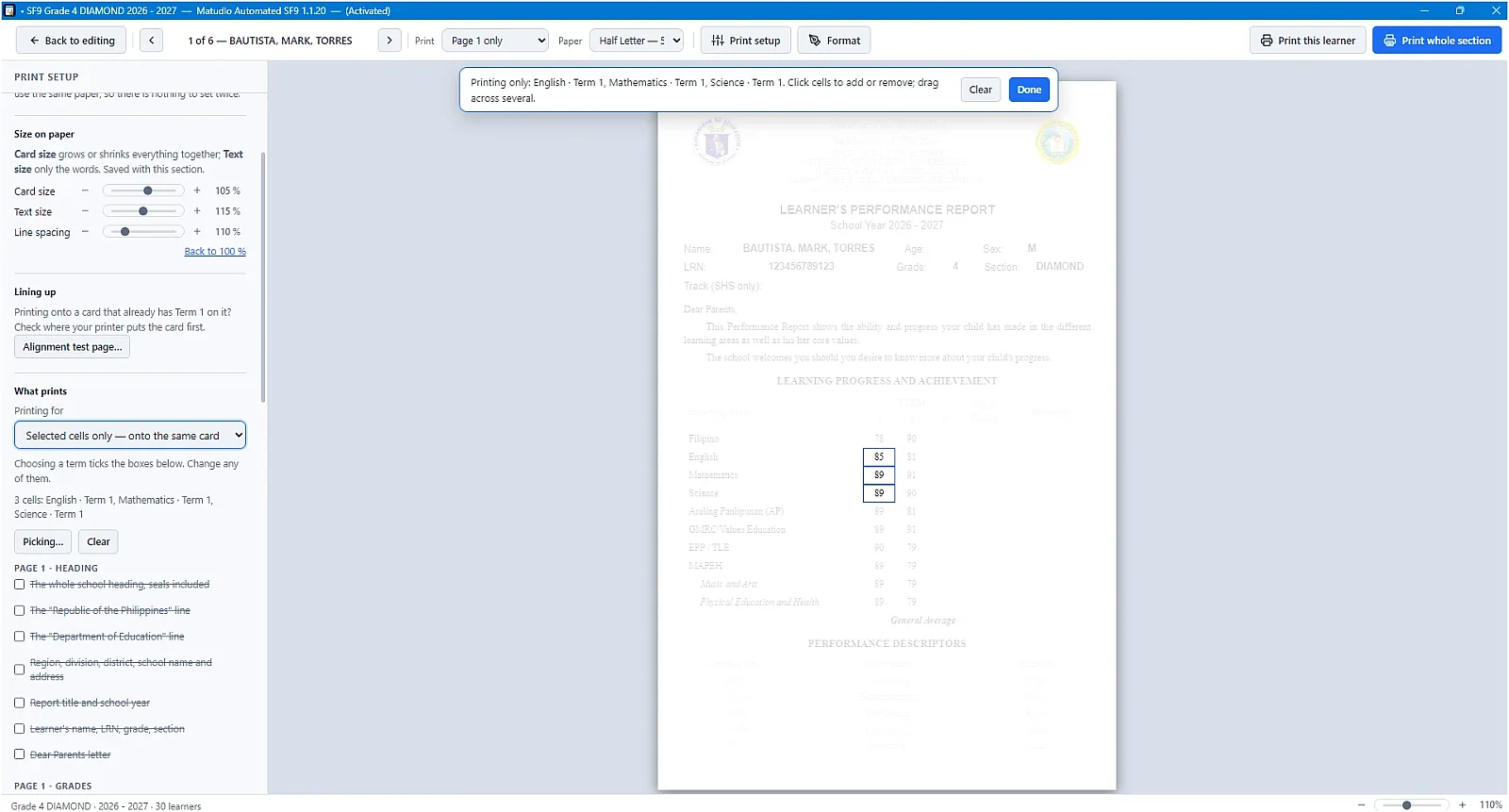
Missed a grade earlier or had a delayed score to encode? No need to re-print the entire card! 🎯✨
With Selected cells only printing, you can pinpoint and print only the specific missing grades onto an existing SF9 card. Simply click the specific cells you need to fill in, feed the card through, and keep your records completely neat and accurate. 💡 Includes free automatic updates and patches whenever DepEd standards change!
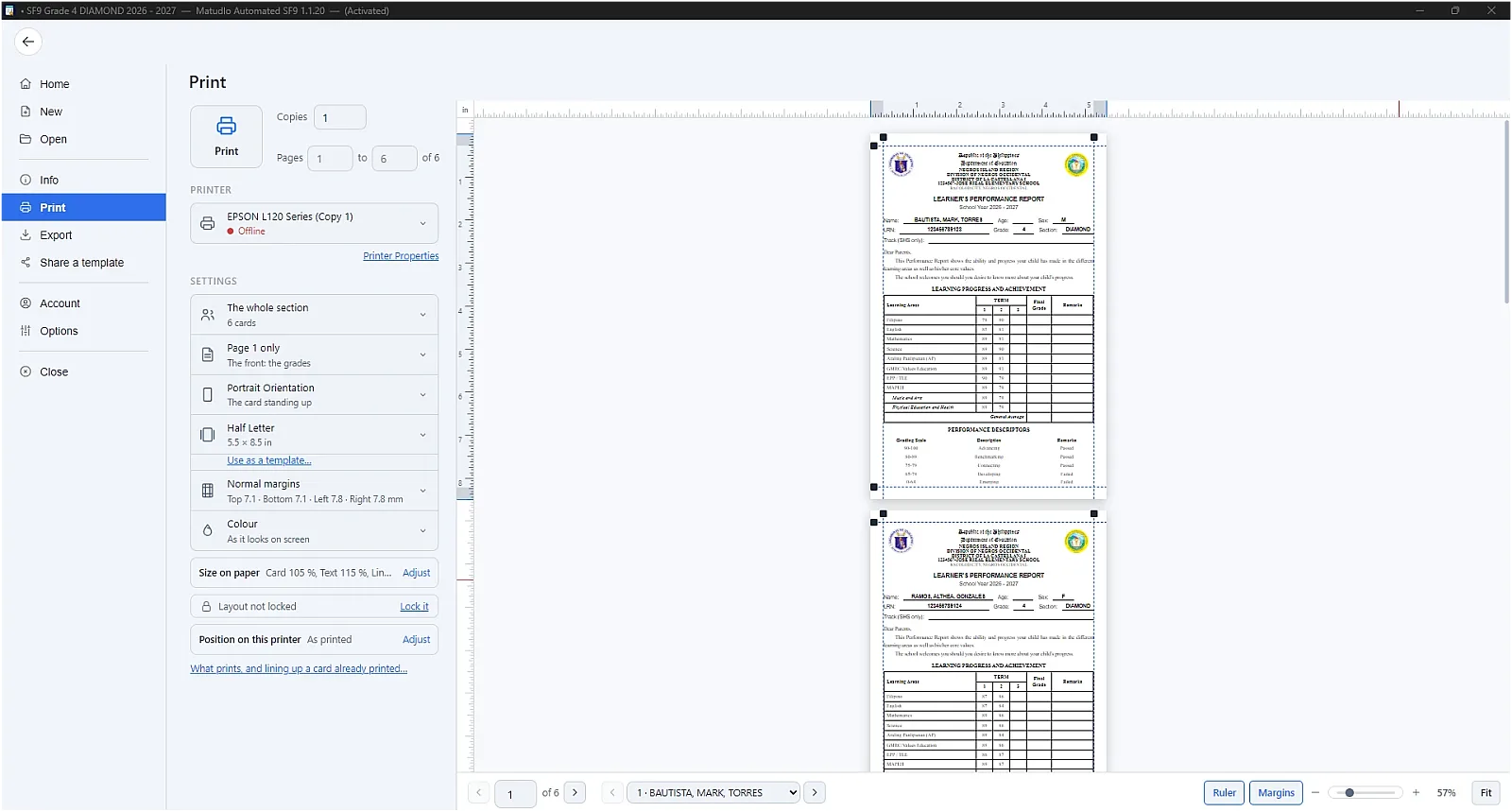
Save hours of repetitive printing during card distribution! ⚡🖨️
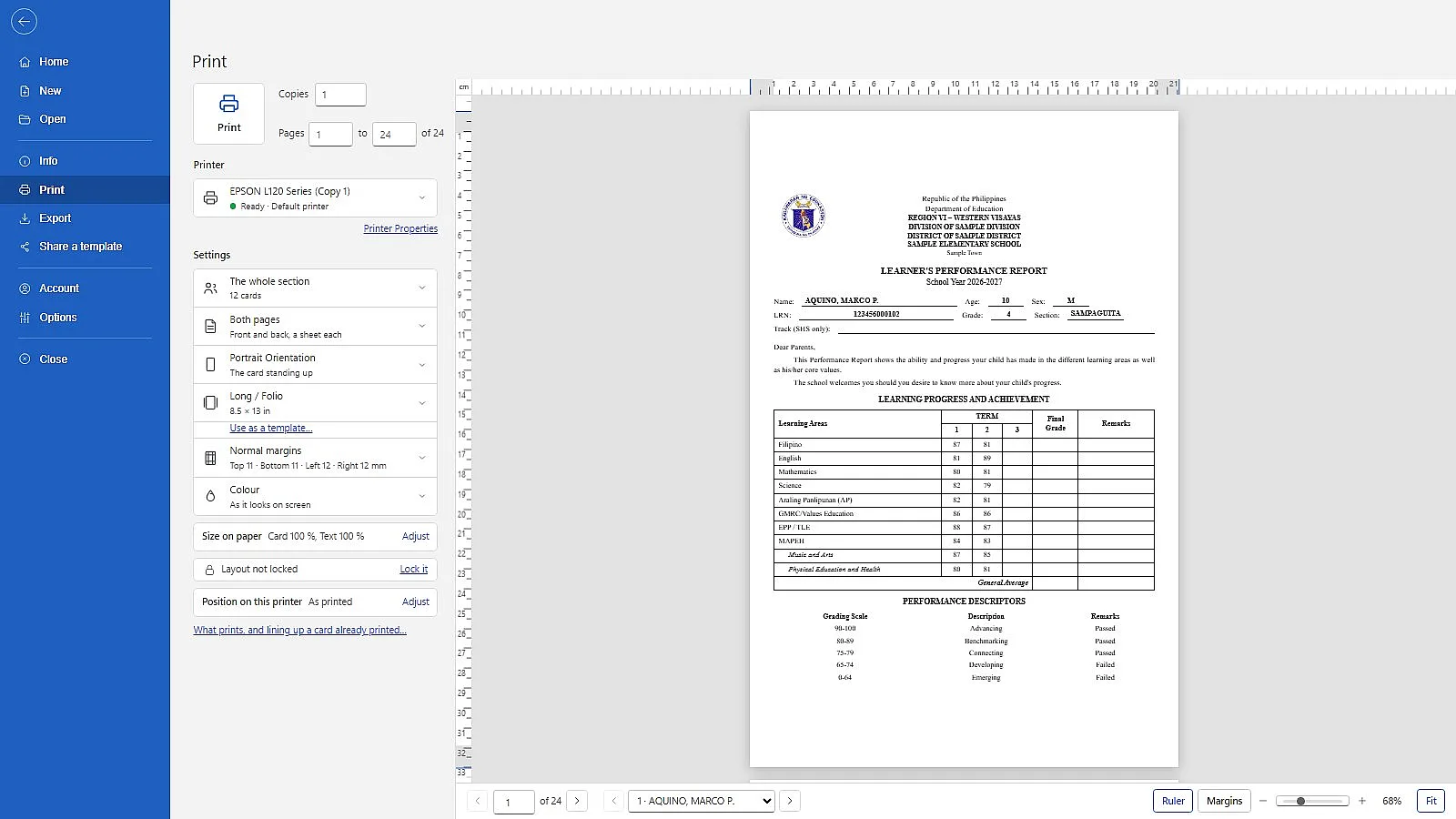
Print the front page (Page 1 with grades) for your entire class in one seamless batch. Instead of printing student by student, simply select "Page 1 only" for "The whole section" to process all learners at once.
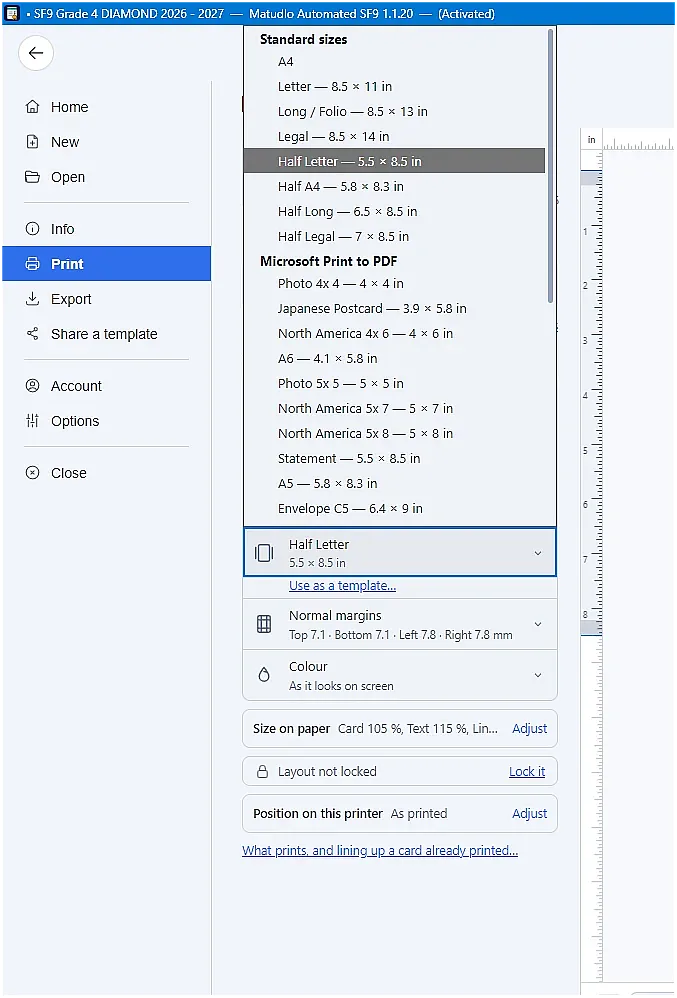
Forget about printer setup errors and manual paper-size configuration! 🖨️✨
Unlike standard software where custom card sizes fail if they aren't manually added to your printer driver's settings, our app features built-in standard and custom paper sizes pre-aligned to official SF9 forms. Just select your size—like Half Letter, Half A4, or Half Long—and hit print. The app handles paper size matching directly so you never deal with driver mismatch prompts again.
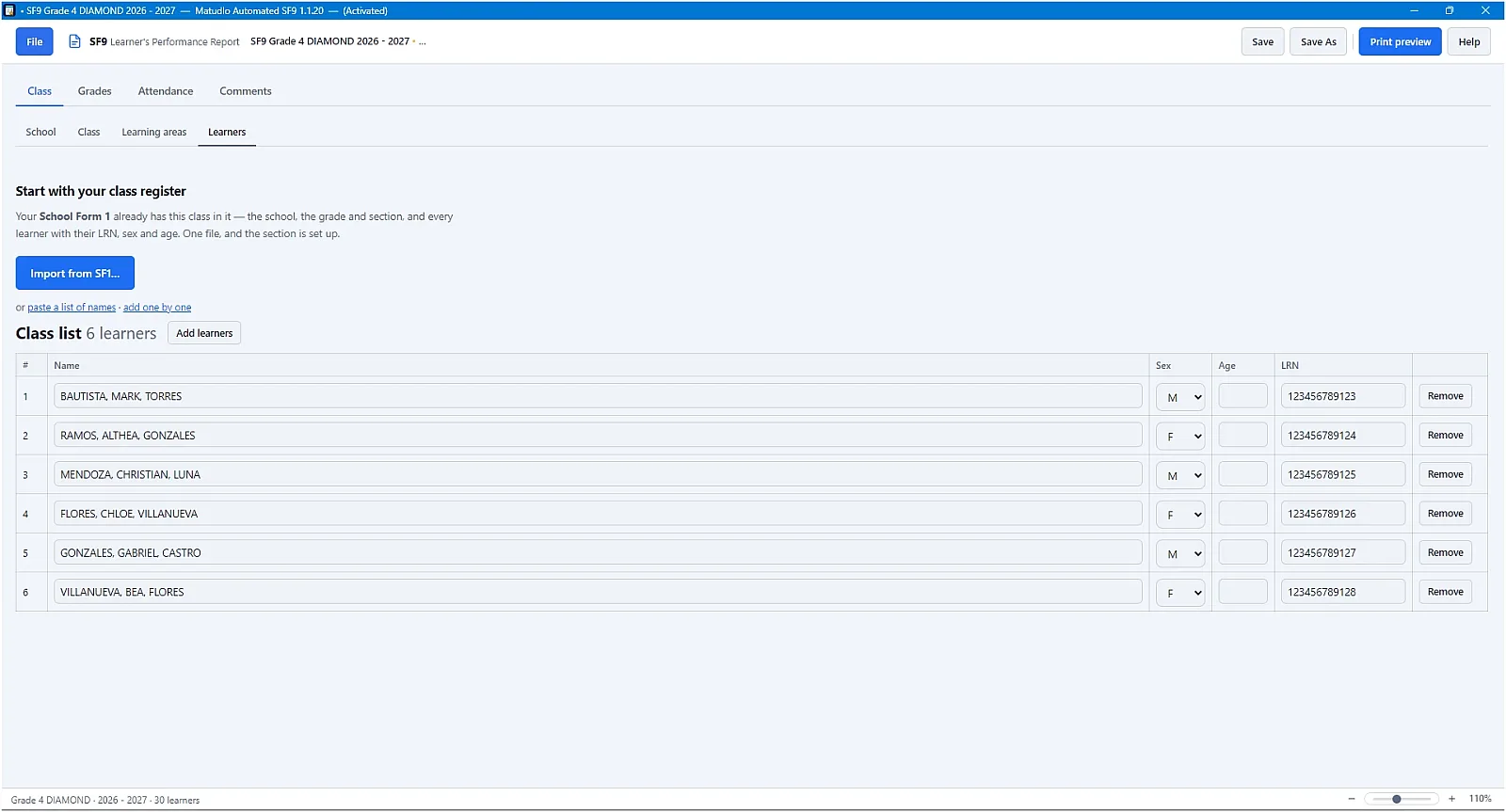
Stop re-typing student details one by one! ⚡📋
Instantly set up your class roster by importing directly from your official DepEd School Form 1 (SF1). The app automatically extracts learner names, LRNs, sex, and age with a single click. Need alternative options? You can also paste names in bulk or add learners individually whenever needed.
More apps for teachers
Matudlo AI
The Matudlo AI teaching tools in their own window, with every lesson plan, deck, quiz and worksheet saved to your own computer.
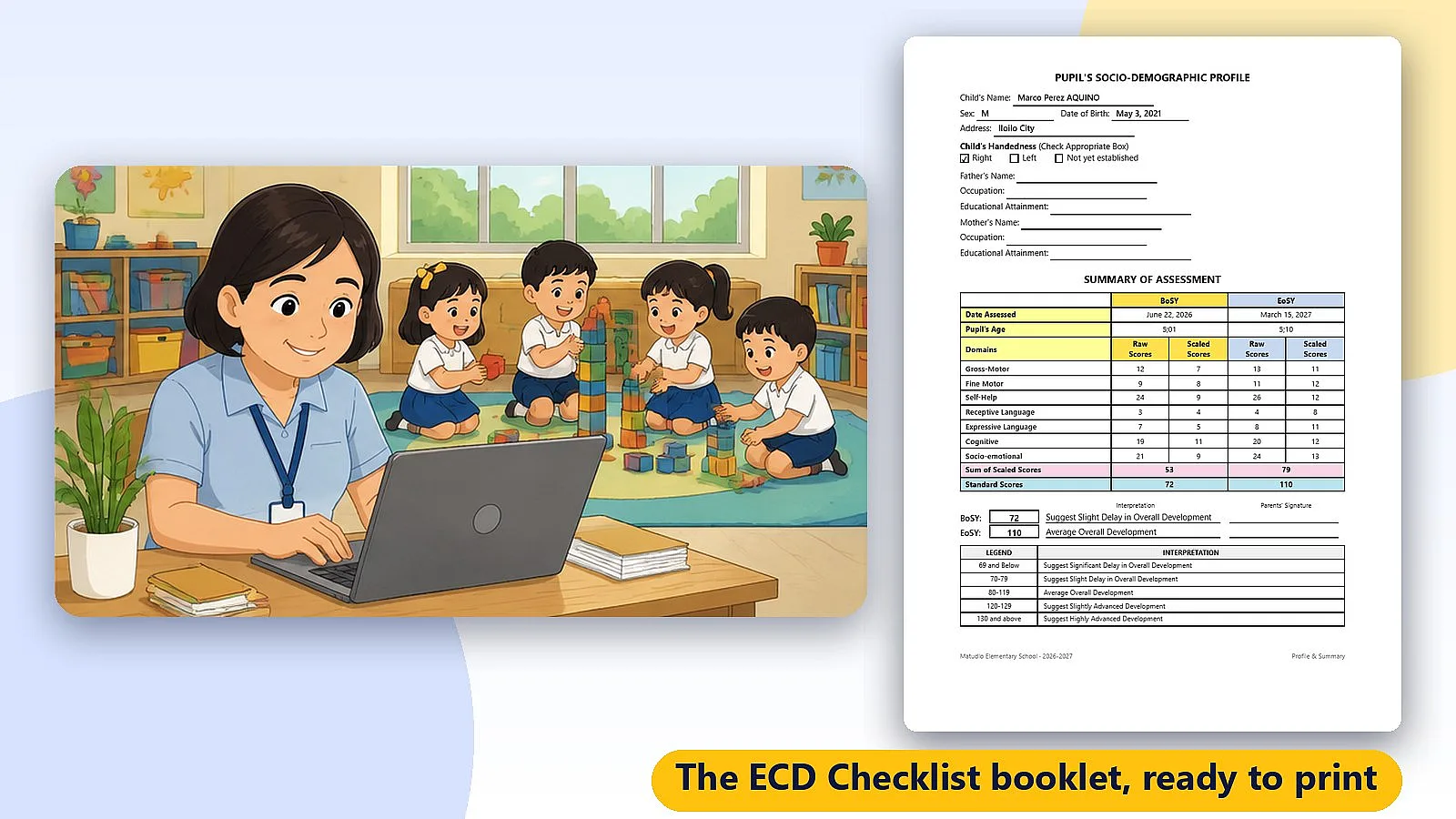
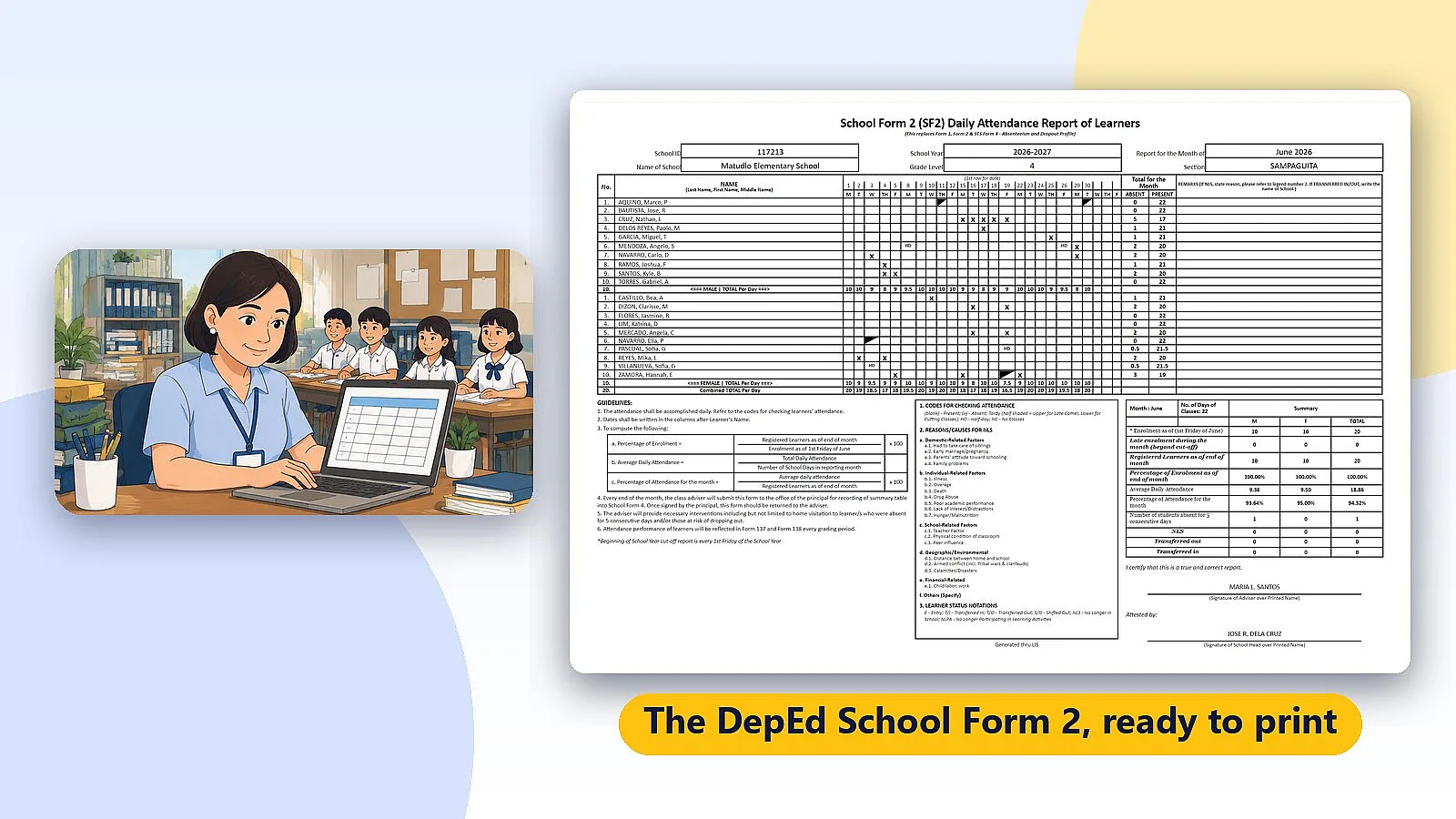
Matudlo Automated SF2
Tick daily attendance on your computer. Matudlo counts the SF2 totals and summary box and prints the DepEd School Form 2.
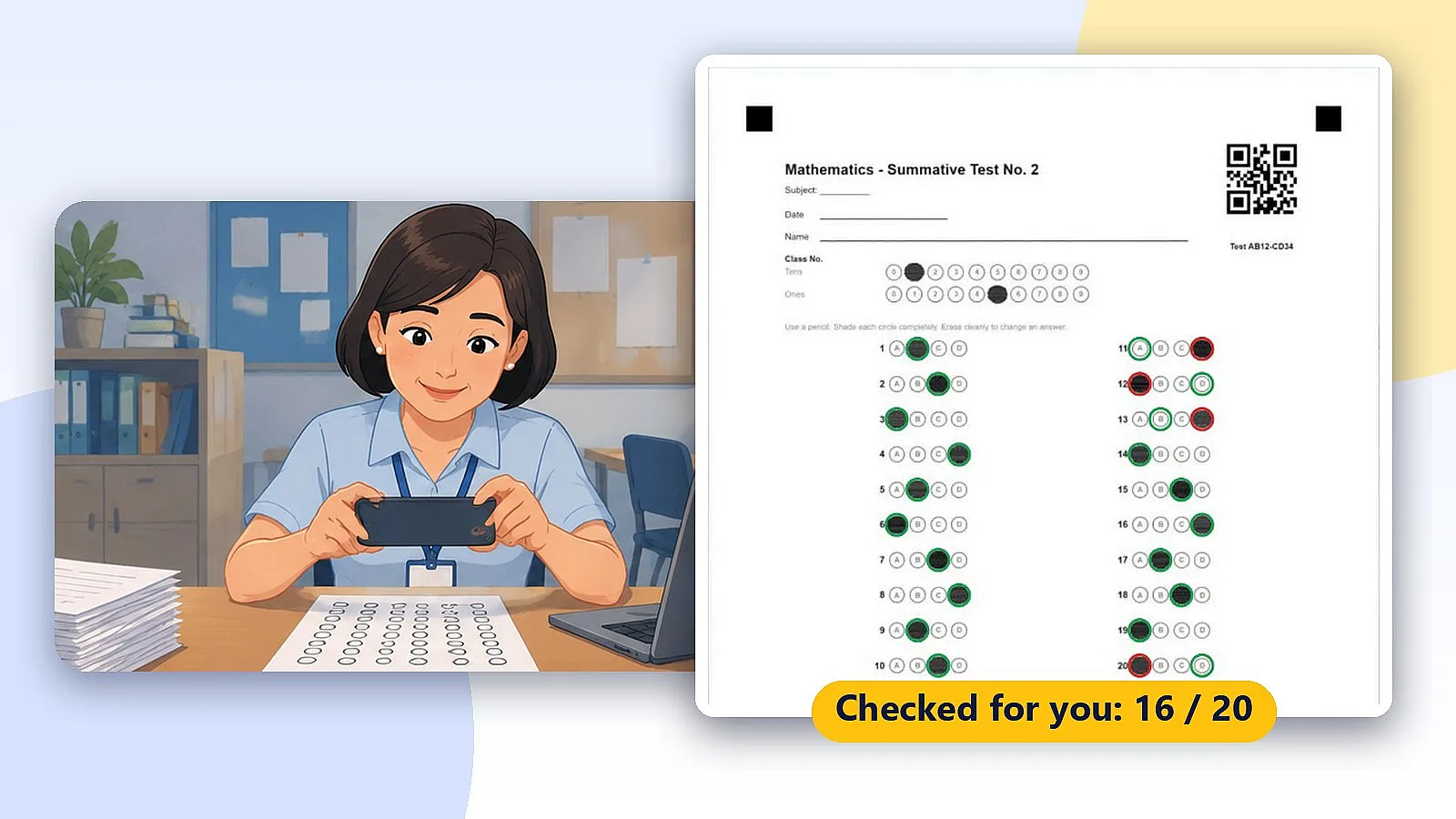
Matudlo Automated Checker
Check bubble answer sheets with your phone and get the item analysis and least learned competencies on your own computer. No sheets are uploaded.